
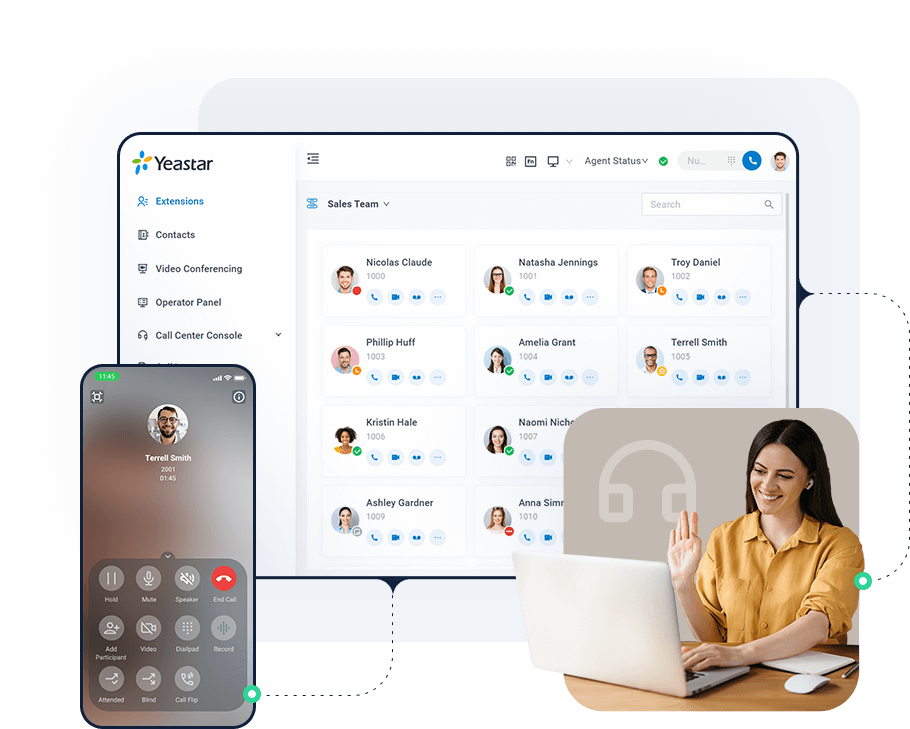
If your phones still live in a cupboard and your calls are invisible to the rest of the business, a PBX is the part that changes. A PBX (private branch exchange) is the system that routes calls between extensions and the outside line, and runs the IVR, queues and voicemail on top. Yeastar's current platform, the P-Series, goes further: it carries calls, meetings, messaging and integrations in one system.
What a Yeastar PBX is
A Yeastar PBX is an IP phone system. Calls travel over your network and the internet instead of dedicated telephone wiring, so extensions are no longer tied to a desk. The P-Series adds the layers businesses now expect on top of voice: a softphone app, video meetings, a shared inbox for chat and messaging, and connections to the CRM and tools your teams already use.
Three editions, one platform
The P-Series comes in three editions, so the choice is about where the system lives rather than which features you can have.
- Appliance Edition — a physical PBX that sits in your office, ready to use without preparing a server.
- Software Edition — the PBX installed on your own server or virtual machine, for sites that already have the infrastructure.
- Cloud Edition — a hosted PBX you reach from anywhere, with nothing to install on site.
A few features depend on the edition. Server redundancy and remote access services, for example, apply to the Appliance and Software editions, so it is worth settling the edition before you size the project.
The advantages of a Yeastar PBX
One app for calls, contacts and meetings
The Linkus app brings calling, contacts, video meetings and messaging into one client on the web, mobile and desktop. A call can be moved from the phone to the laptop in one tap, and the data stays in sync on every device.
Built for people who do not sit at one desk
An office extension can ring on a mobile or a laptop, so staff at home, in the field or at a branch keep the same number and features. Remote IP phones and branch PBXs can register to the main system as if they were on the office network.
Omnichannel messaging and a contact centre
Website live chat, SMS, WhatsApp and Facebook messages arrive in one shared inbox. For support and sales desks there are call queues, automatic call distribution, a wallboard, call recording, queue callbacks and reports.
Integrations with the tools you already use
Yeastar connects to CRMs including Zoho, Salesforce, HubSpot, Bitrix24, Odoo and Microsoft Dynamics 365, as well as Microsoft Teams and hotel PMS systems. When a customer calls, their record can open on screen. For custom work there is an open API.
Automation and a built-in AI receptionist
Call and message flows are built in a visual drag-and-drop designer, from simple routing to automation tied into a CRM or database. The P-Series can also add voice AI that acts as a receptionist — greeting callers, answering common questions and routing the call.
Simple to run and to grow
Devices and apps can be provisioned, updated and supported remotely. Adding users or a new branch is a configuration change, not a new wiring job. Yeastar also shows ISO 27001, ISO 9001 and ISO 14001 certifications on its website.
Why businesses choose Yeastar
- One platform for voice, messaging, meetings and integrations, instead of several separate subscriptions.
- A choice of Appliance, Software or Cloud to fit the infrastructure and data policy you already have.
- A system that scales from a small office to many branches.
- Hybrid working that needs no extra hardware — the office extension follows the person.
- Integrations with the CRM and collaboration tools your teams already rely on.
- Modern customer service tools — omnichannel inbox, contact centre and automation — on the same system.
Who it suits
Yeastar fits offices replacing an ageing phone system, multi-branch companies that want one numbering plan, sales and support teams that need CRM integration, and hotels and institutions that must connect telephony to their operating systems.
What SNN supplies with it
As a Yeastar distributor, we help you choose the right edition, size the system to your extension count and trunks, and supply the appliance with Yealink phones and headsets alongside it. The integrators and IT teams we work with then handle the network and the rollout.
Every deployment is quoted per project. Tell us your extension count, your sites and the integrations you need, and we will come back with a specification and a quotation rather than a catalogue.